


Personal
1 Mac
$9.9
One-time payment
- Every feature
- Free updates within the major version
- Yours to keep
Find the caches and files taking up space, uninstall apps and their leftovers, and check your Mac from the menu bar. Scans run on your Mac, and you choose what to remove.
Watch the official video for a look at the app before you try it on your Mac.
Watch on YouTubeClean up
Smart Scan checks the Trash, app caches and leftovers, large files, and duplicates. Review the findings by category and choose what to remove.
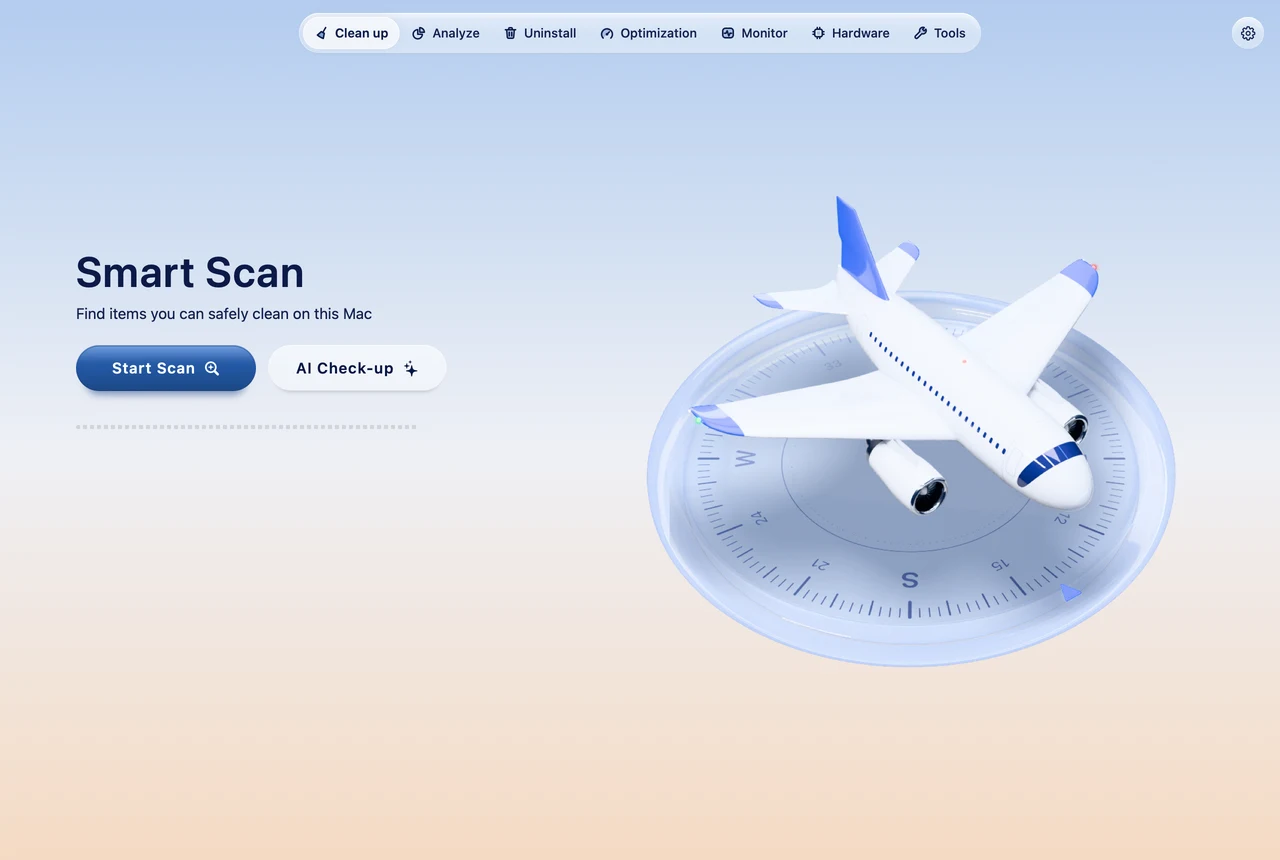
It only looks. You can pause or stop at any time, and you choose what goes on the results screen.
Documents, photos, chat history and model files start unchecked. If you want them gone, you check them yourself.
What was deleted, what was skipped and how much space you actually got back, listed separately. If something can't be measured, it says “Not measured”, not 0.
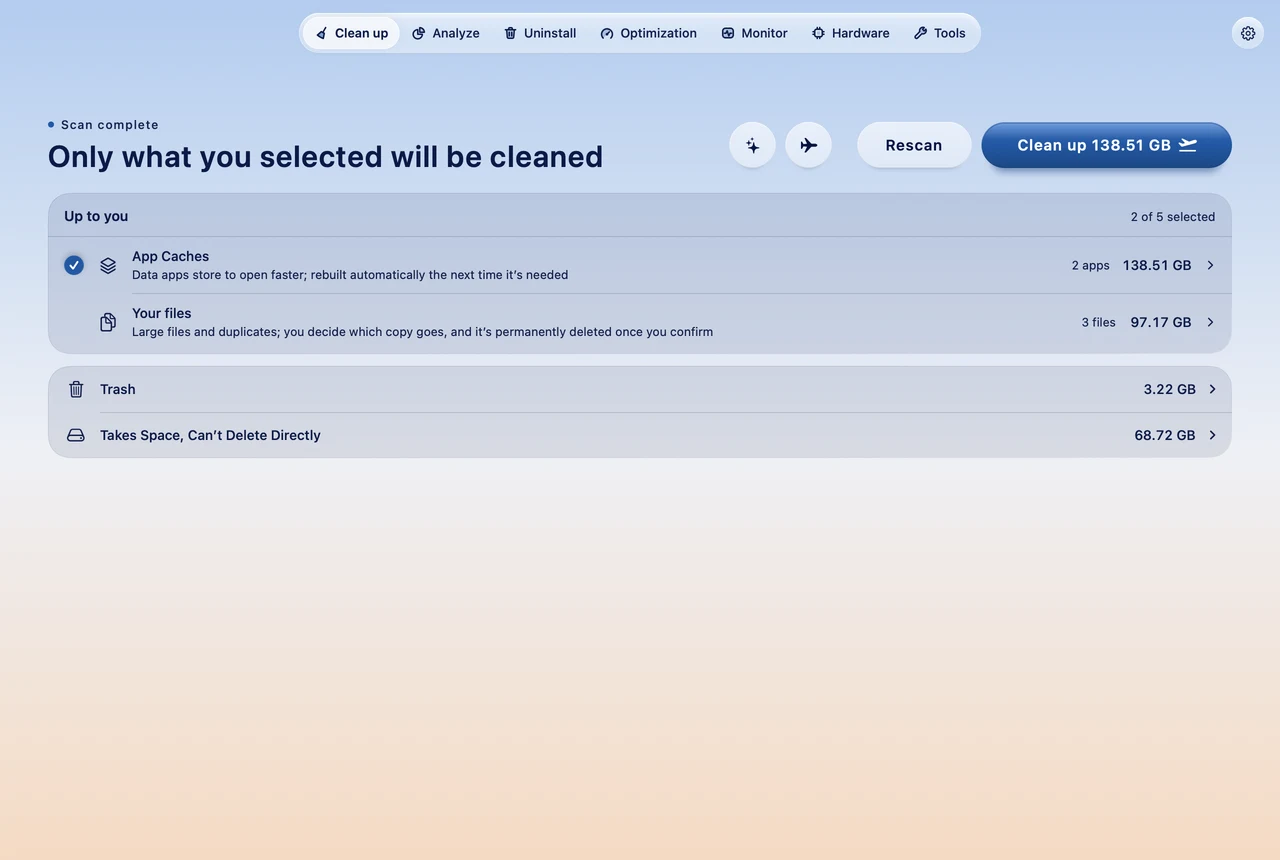
Open a group to see the individual files and their locations. Regenerable caches are selected by default. You decide whether to include personal files, conversations, and model files.
A Mac used for coding fills up fast. XicoClean sorts these tools' files into three groups.
Analyze
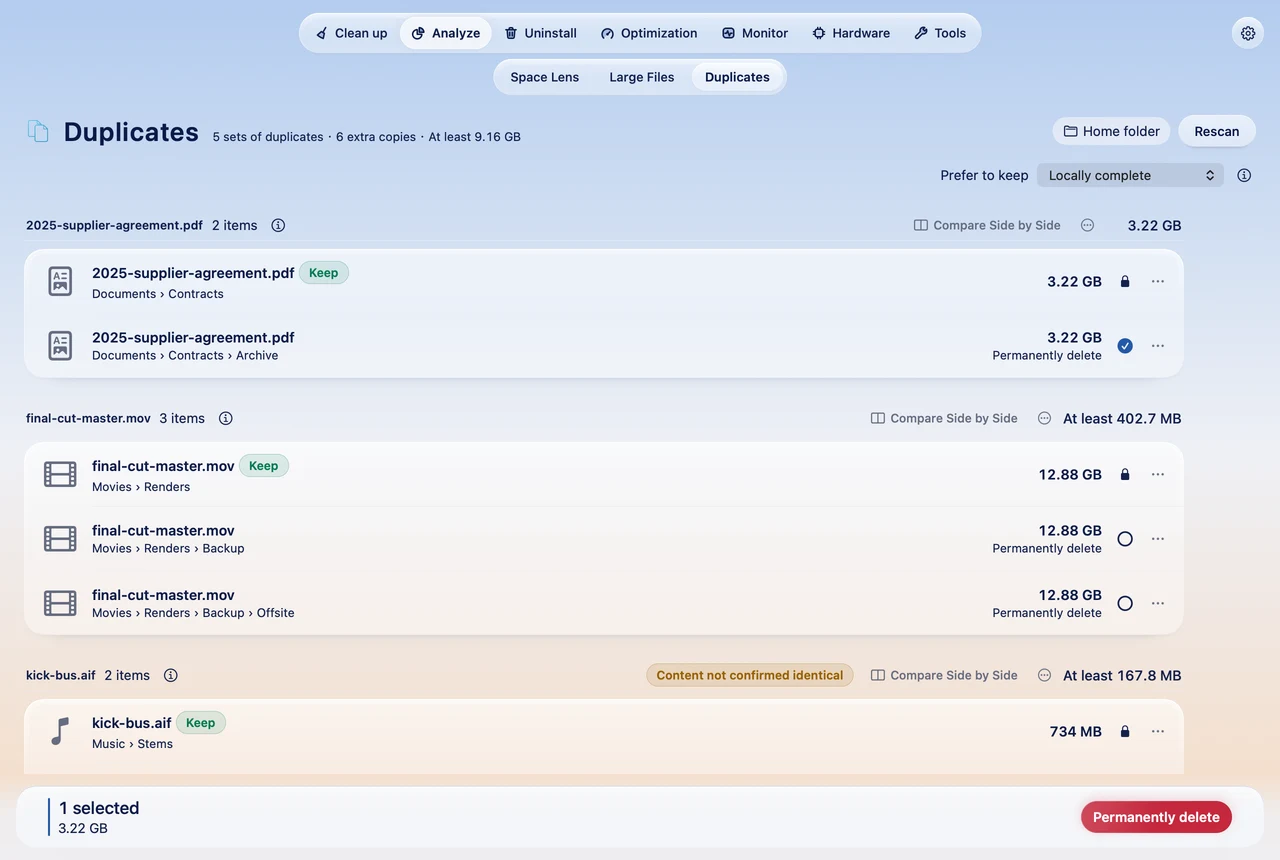
Space Lens maps the whole disk, and three more tools find large files, duplicates and similar photos. Whatever you pick goes into a basket first, and moves to the Trash only when you confirm.
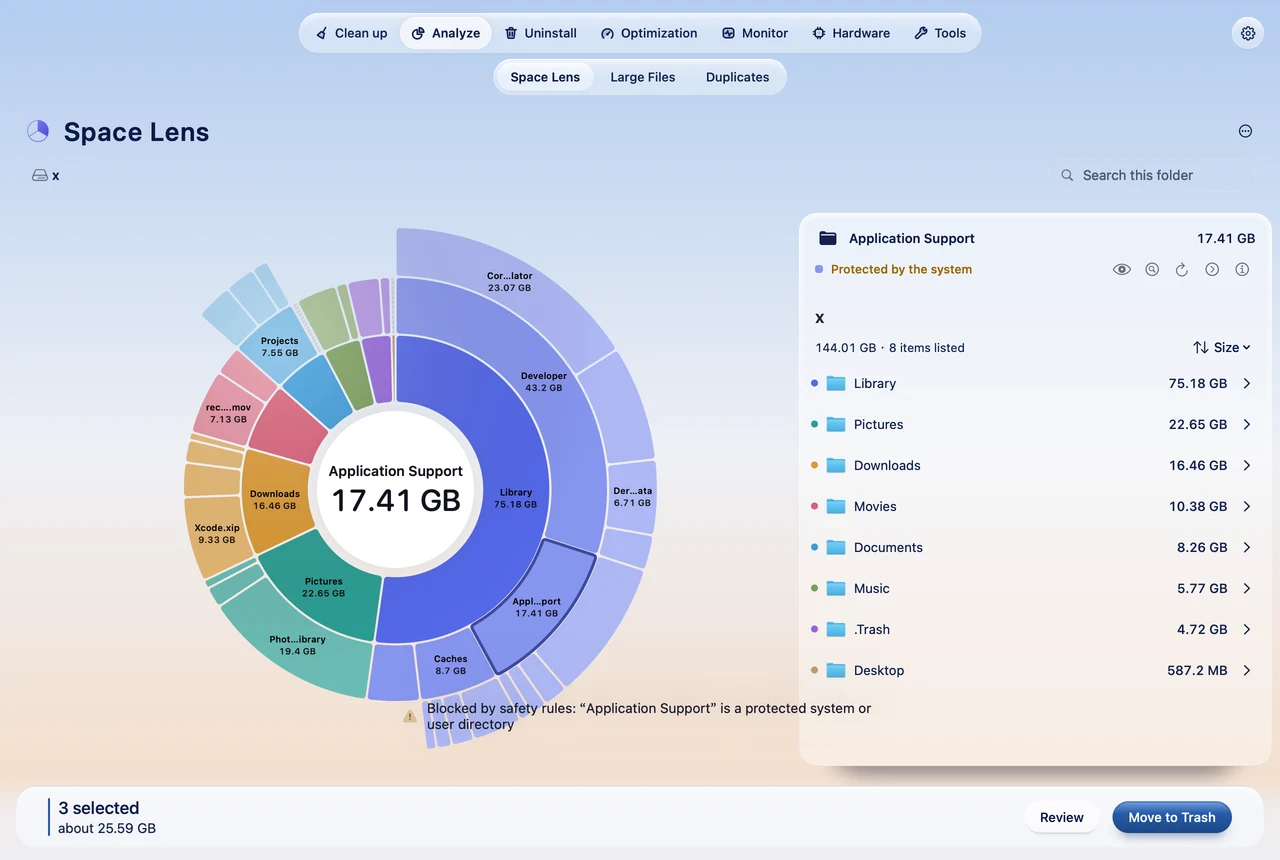
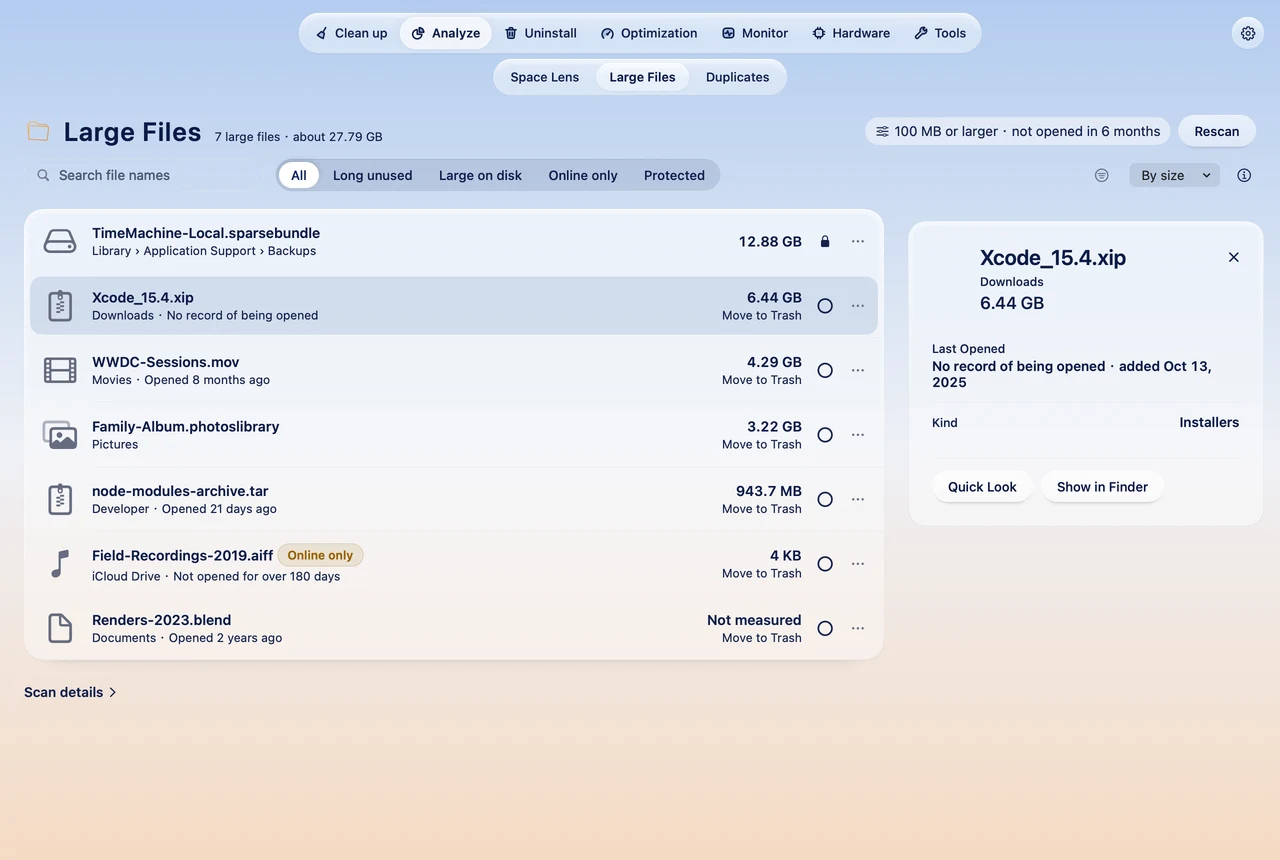
A ring chart shows every folder's size, level by level. Click a segment and the list beside it opens that folder. System and protected locations are marked separately.
Uninstall
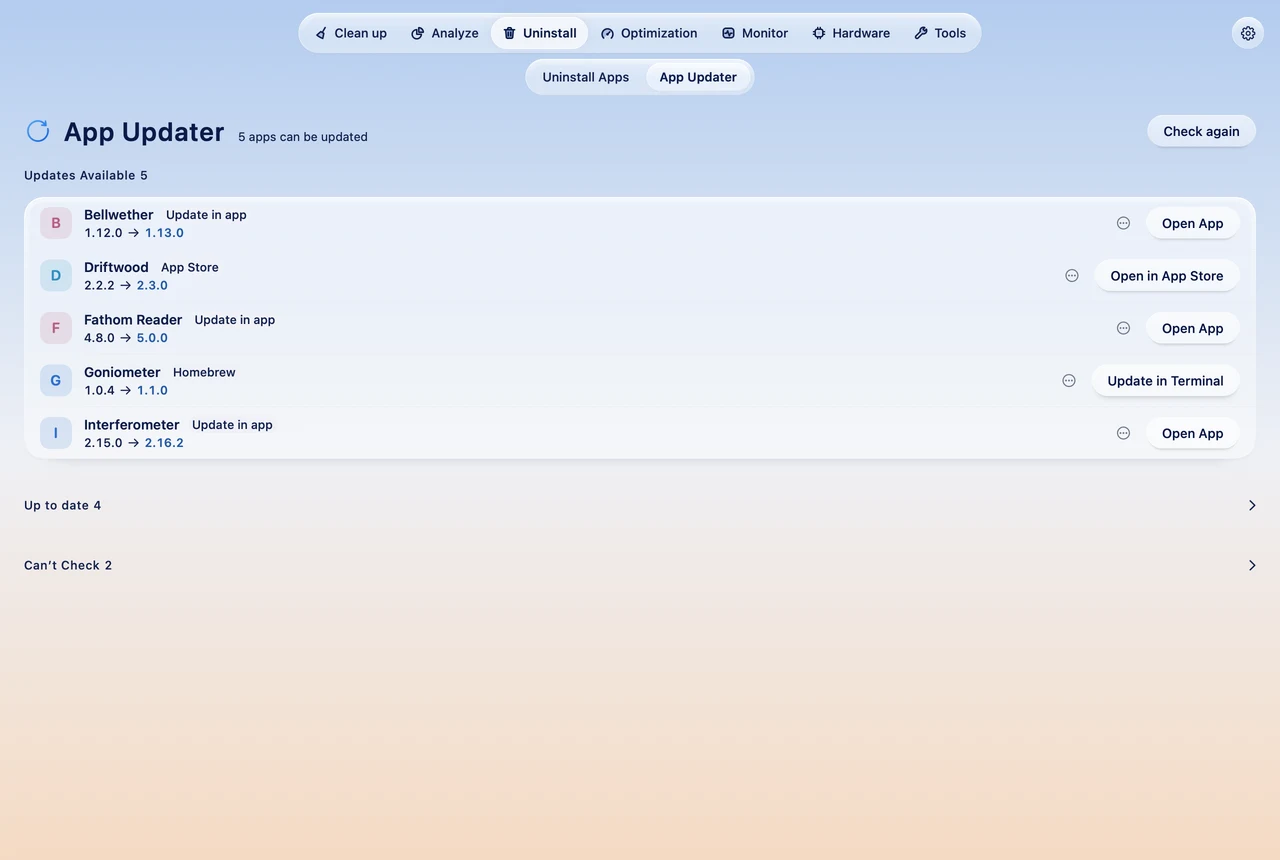
The uninstaller lists the app together with its caches, preferences, containers and other related files, and moves them to the Trash once you confirm. App Updater checks your installed apps for new versions in one place.
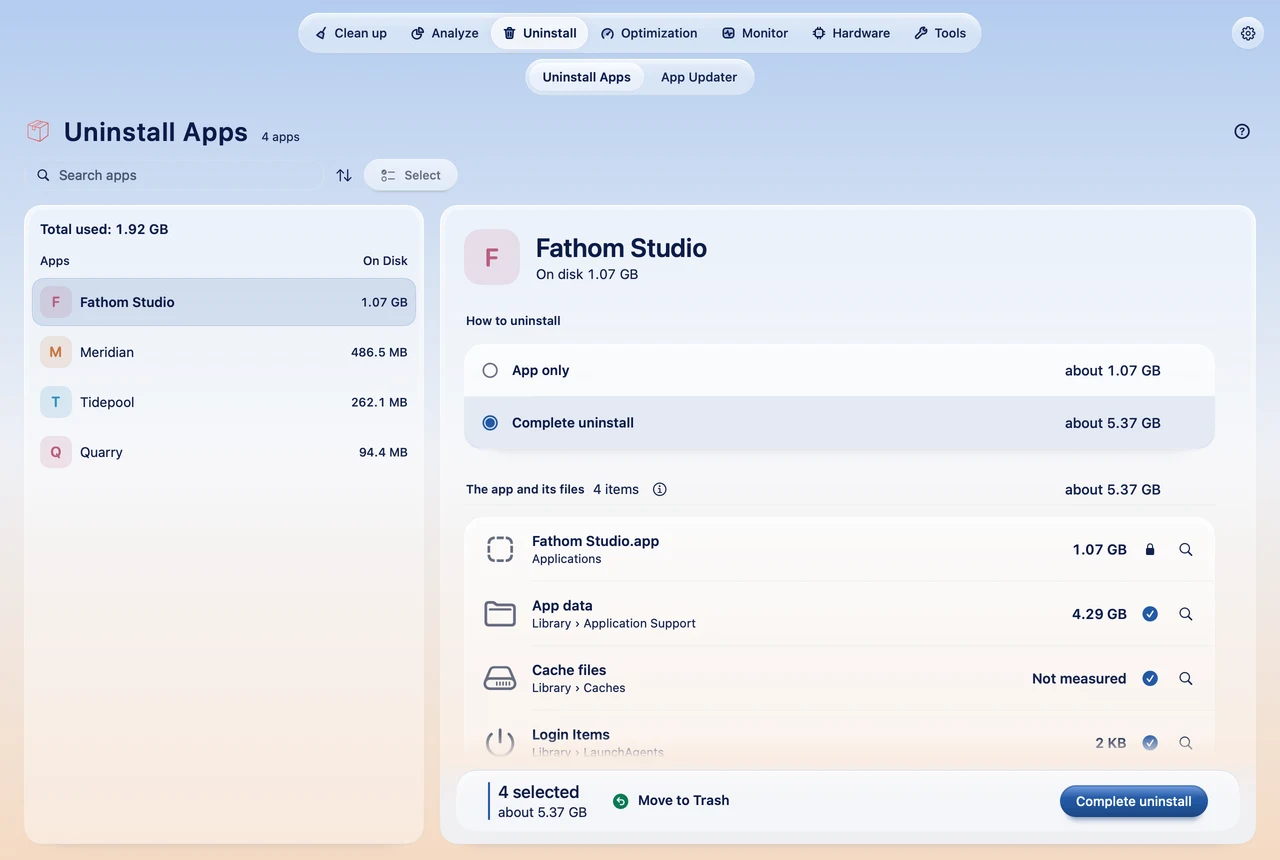
Every app shows its size and a list of related files. Remove only the app, or uninstall everything; items that need an administrator password are flagged first.
Optimization
Login Items lists the apps that open at login, background items and background apps, and lets you switch each one off. System Maintenance collects a few common upkeep tasks.
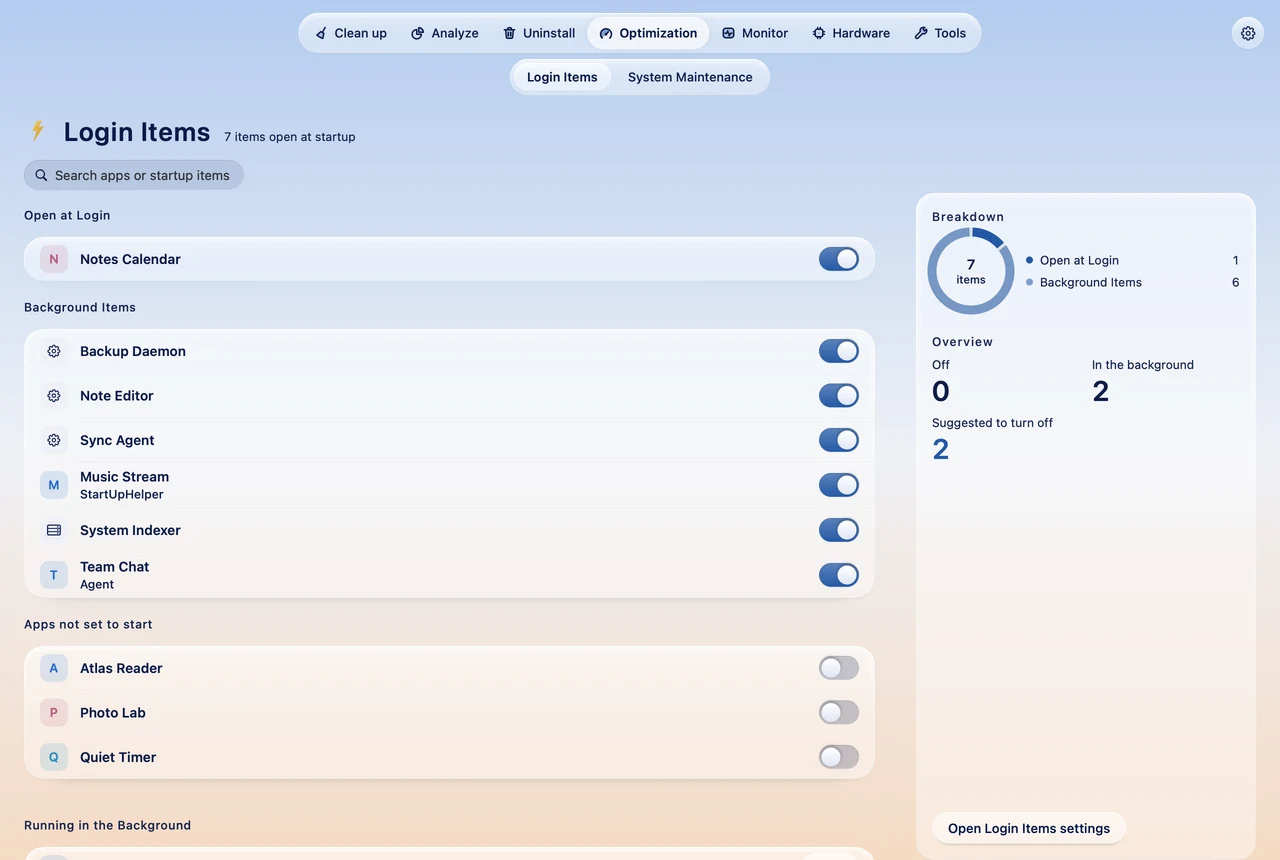
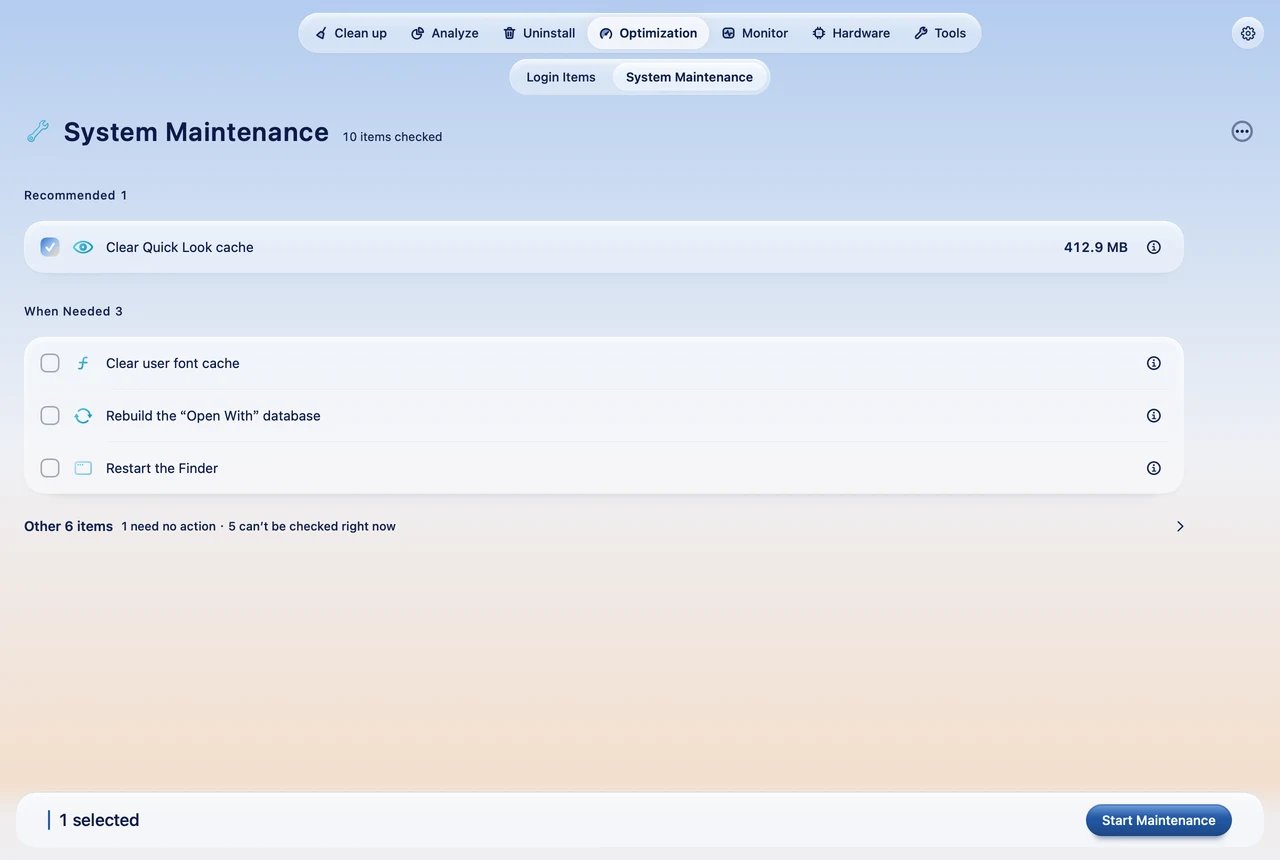
Startup items are counted by type and labelled with their developer; turn a switch off to disable one. After about a week of use, XicoClean also suggests changes based on how you use your Mac.
Monitor
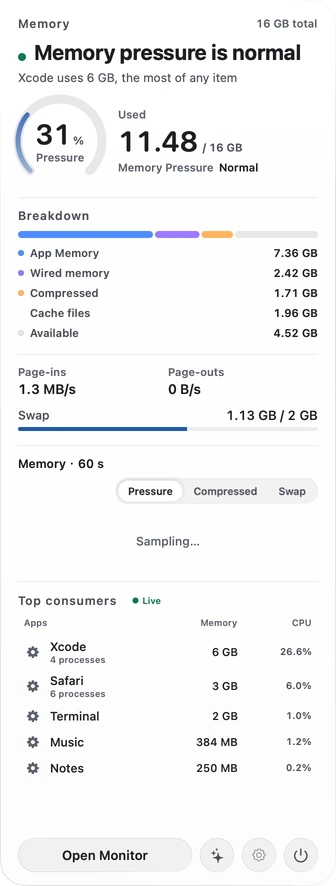
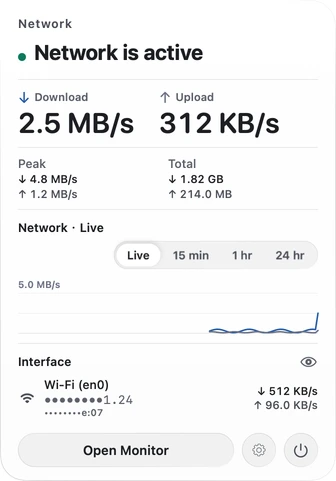
The menu bar shows live readings for network speed, memory and CPU. Click one to open its panel. System Monitor in the main window keeps a history from the last minute to the last 7 days.
About the monitor
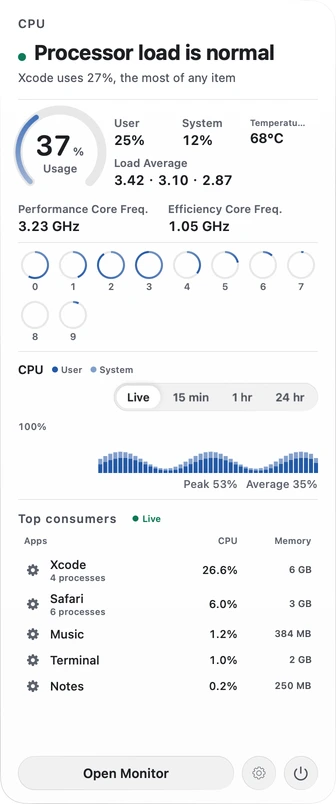
Total usage, user and system share, temperature, load average, and the load on each core.
Memory pressure, app and wired memory, swap used, and how often pages move in and out.
Live upload and download, peaks, and data used this session, counted per interface.
CPU, GPU, memory, network, disk, battery and temperatures on one page, over the last minute, hour, 24 hours or 7 days.
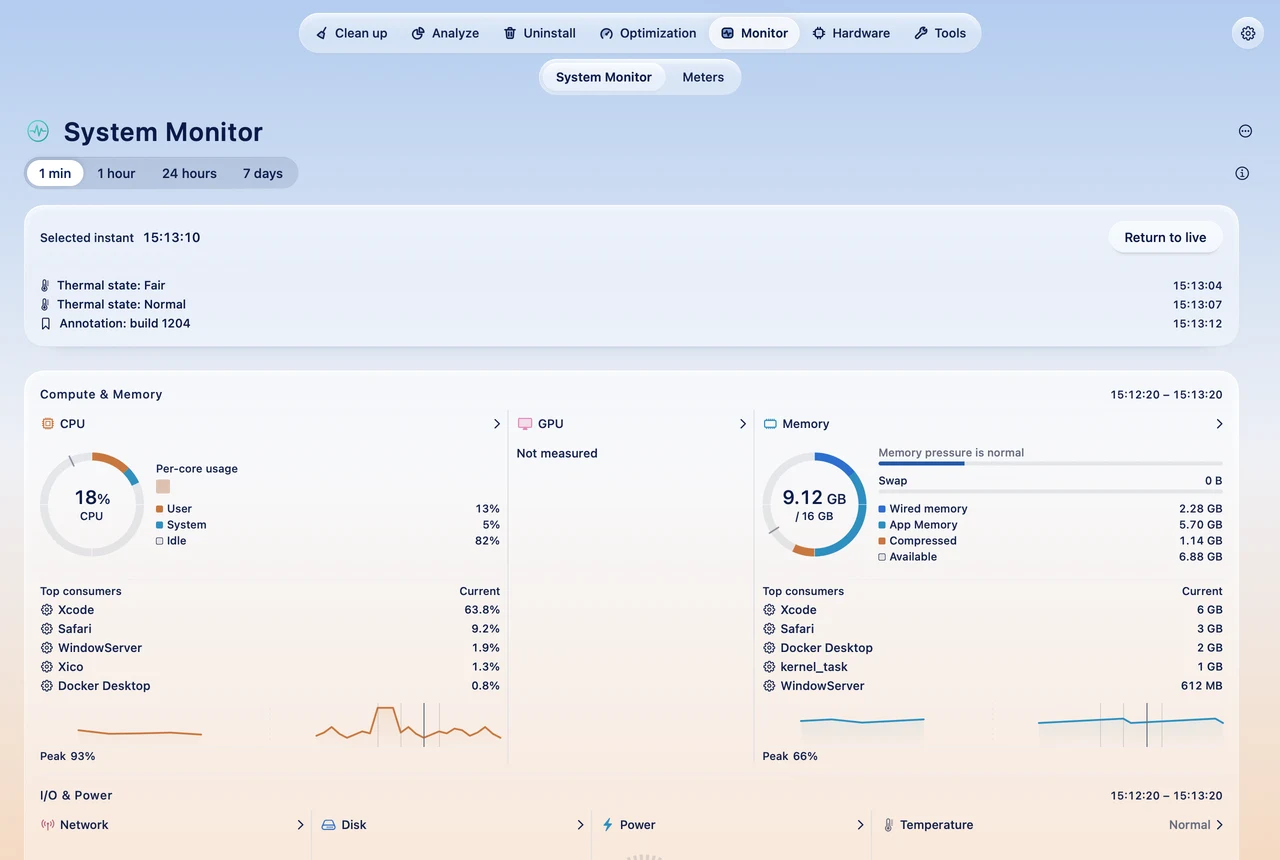
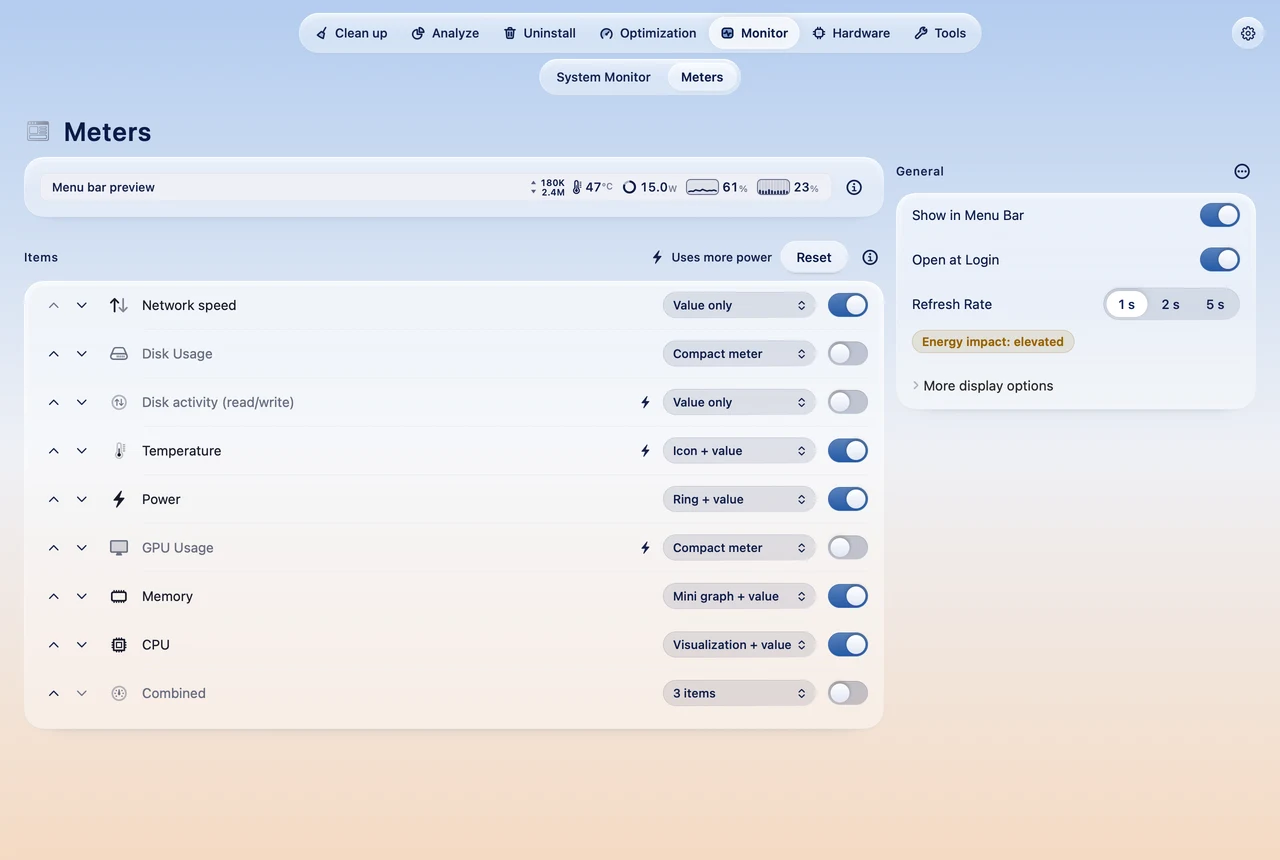
Open any chart for details, and quit a process straight from the process list.
Hardware
The Hardware page marks the chip, memory, storage, battery and sensors on a diagram of the machine itself. Benchmarks and the disk speed test give you numbers you can compare.
See the Mac leaderboard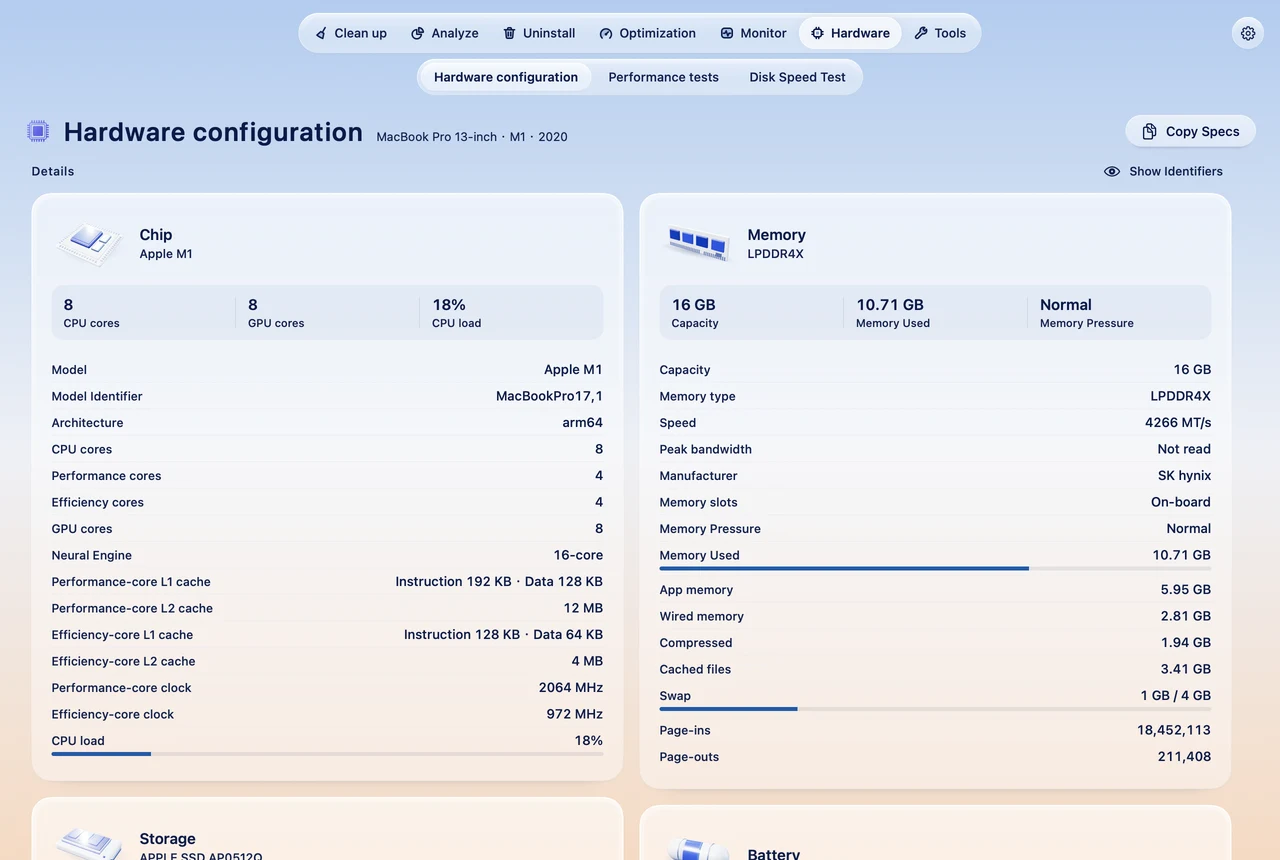
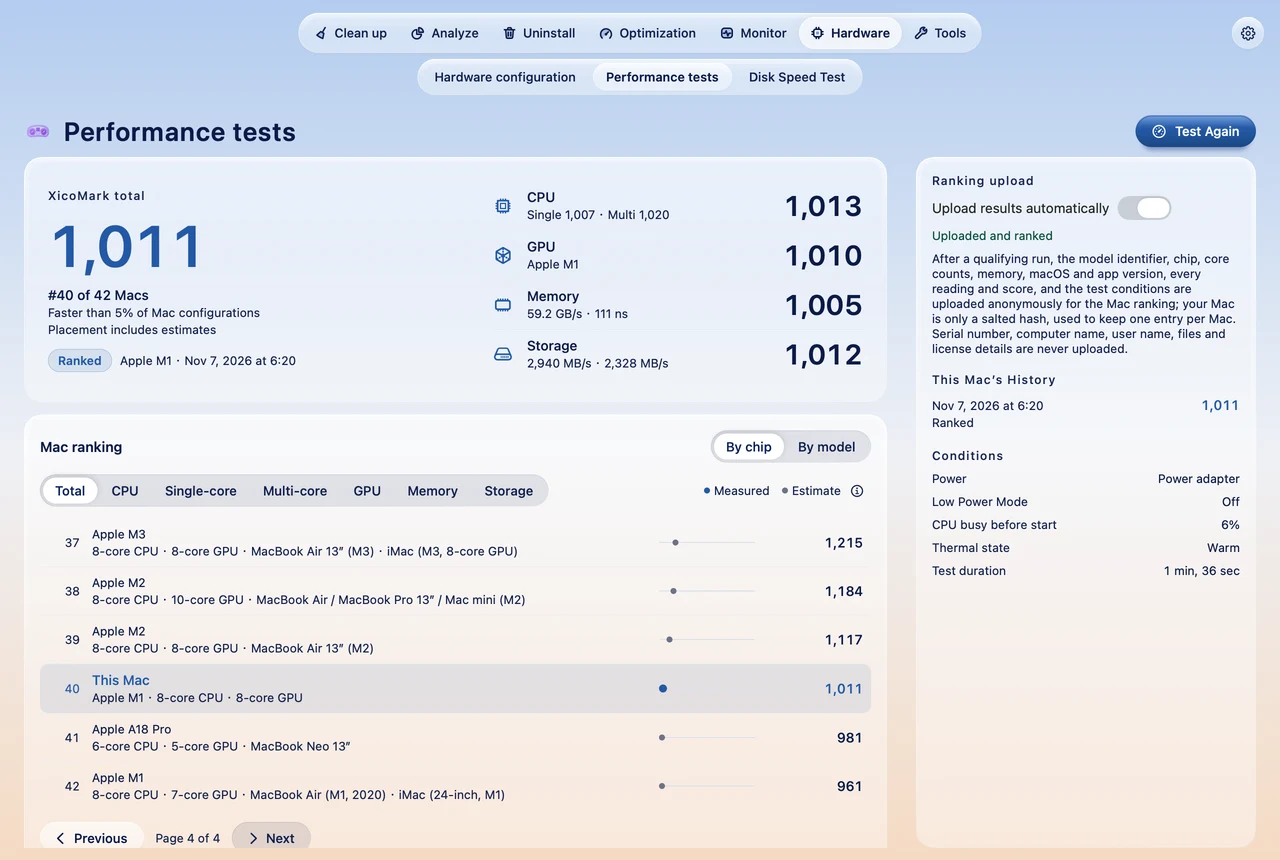
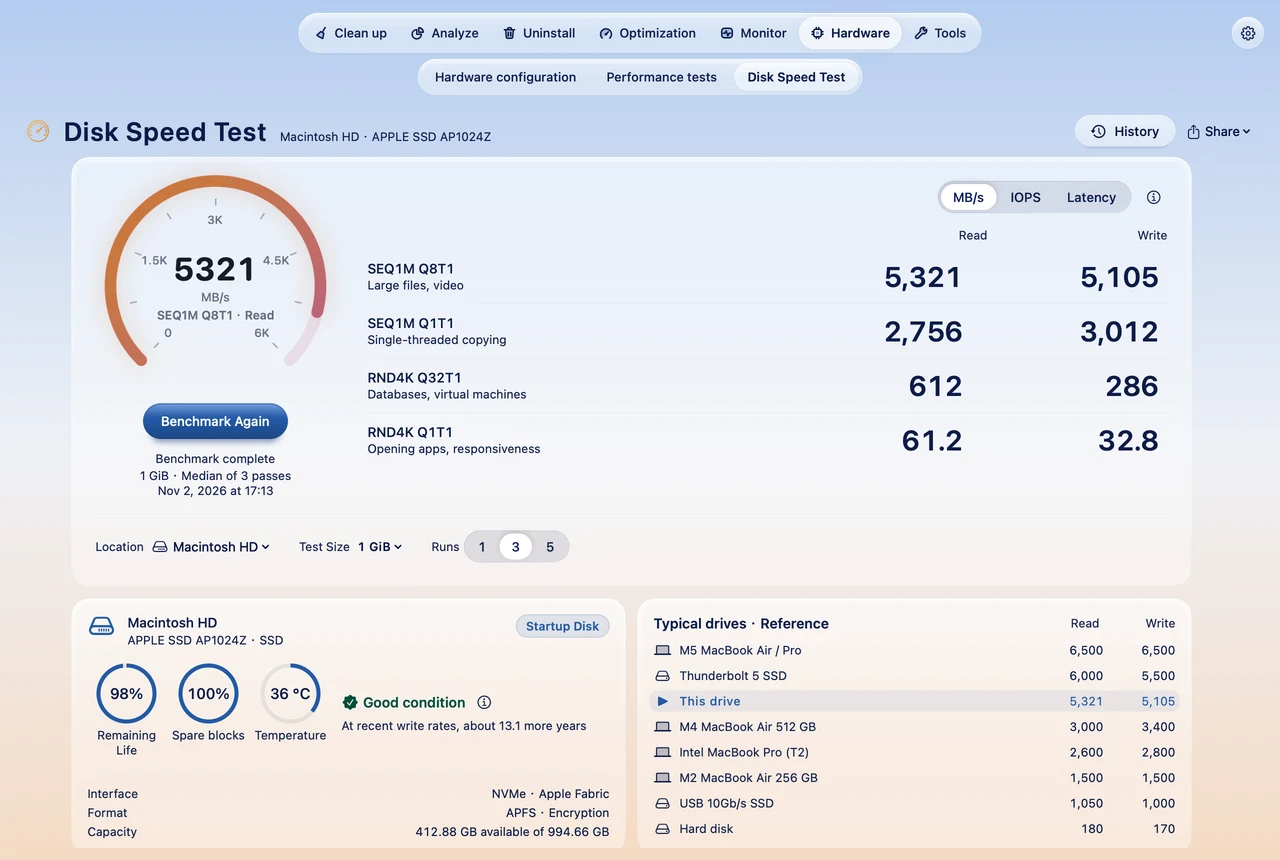
See separate details for the chip, memory, storage, and battery. Copy the specs in one click. The serial number stays hidden by default.
Tools
Tools in the Tool Market are added on demand. A tool you have not added takes up no space.
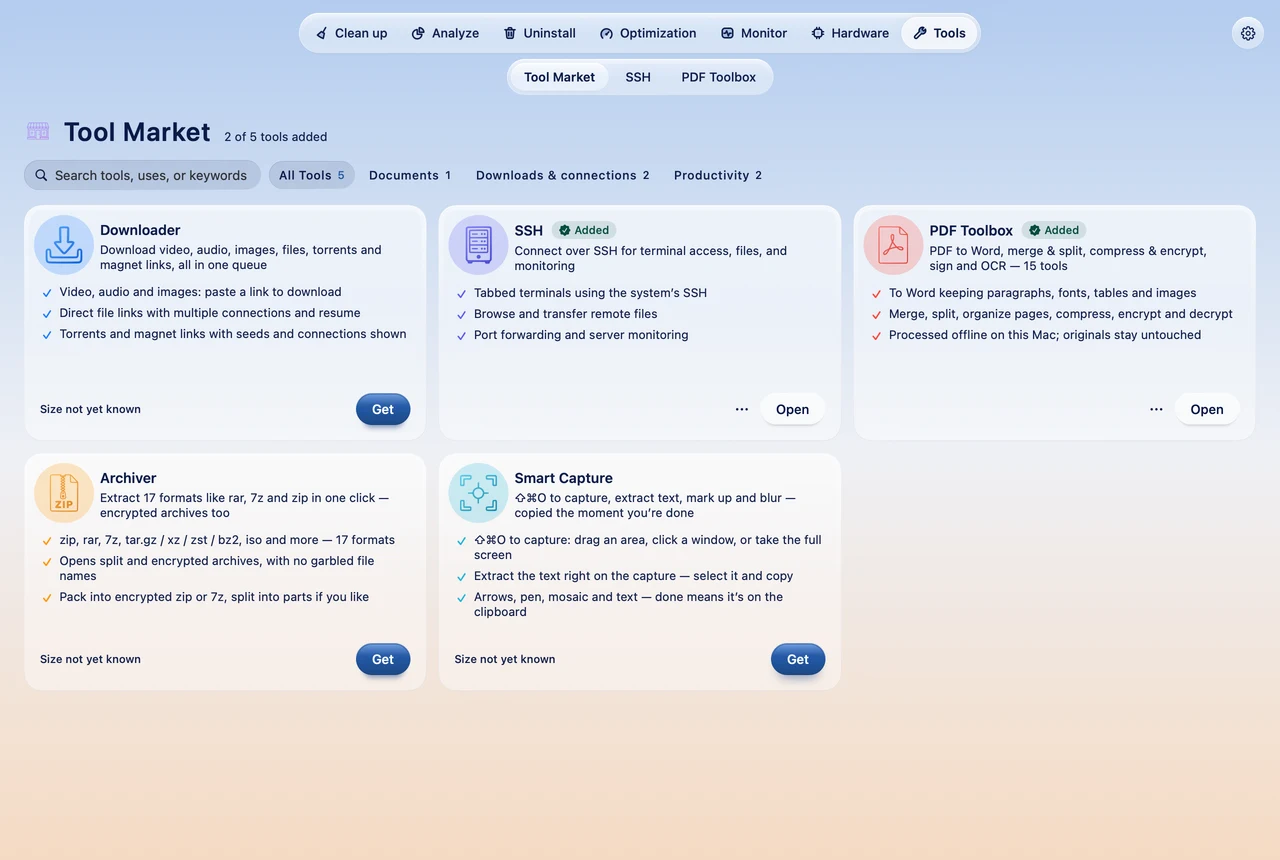
Download video, audio, images and files you have the right to download, including magnet links, with multi-connection speed-up and resume.
Connect to servers over SSH: a terminal, file browsing and transfer, and port forwarding.
Convert PDF to Word on your Mac with the layout and tables kept, and merge, split, compress or encrypt PDFs.
Unpack common archive formats on your Mac.
Capture an area of the screen, annotate it or extract its text, and copy the result.
Security
The interface, the safety engine and a system helper each check every item against the same signed rules.
~/.ssh, ~/.aws, Keychain and critical system locations are permanently excluded from cleanup.
Scanning, analysis and similar photo detection all run locally. File contents are never uploaded.
Pricing
No subscription. No auto-renewal. Updates within the same major version are free.
1 Mac
$9.9
One-time payment
Up to 3 Macs
$18.9
One-time payment
Prices show in your local currency. The checkout page has the final amount.
FAQ
Scanning deletes nothing. On the results screen, only caches that can be rebuilt are preselected. Personal files are never checked for you. Critical system locations, SSH keys, cloud credentials and Keychain are permanently excluded.
One thing to know: Smart Clean deletes files directly once you confirm, and they can't be recovered. Space Lens and the uninstaller move files to the Trash, so you can get them back until you empty it.
No. Scanning, space analysis, duplicate matching and similar photo detection all happen on your Mac. It goes online only to check for updates, verify your license and update cleanup rules, to show your public IP in Network, and when you download third-party components such as yt-dlp in Tools. If you turn on “Upload scores automatically”, benchmark results are uploaded anonymously. You can turn that off at any time.
It's not a subscription. Buy it once and keep using it, with free updates within the same major version. When a new major version comes out, upgrading is up to you, and your current version keeps working.
No. Every feature works for 15 days after you download. No sign-up and no payment details.
System Data mixes caches, logs, local snapshots and app support files. XicoClean finds the parts that are clearly safe to remove and lists the uncertain ones for you to judge. It doesn't treat the whole thing as junk.
Every installer is signed with Developer ID and notarized by Apple, and macOS Gatekeeper verifies it when you open it. The download center lists the SHA-256 checksum for every version so you can check it yourself.

Every feature is on. No sign-up, no card. Buy it if it earns a place on your Mac.
macOS 12 or later · Apple silicon and Intel · Installer details and checksumsFollow XicoClean